

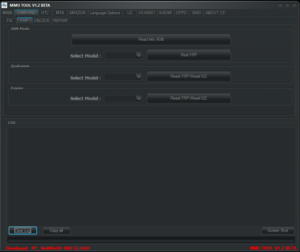
TPS Tool V3 is the powerful tool that allows you to do various android phone operations like removing frp lock, factory reset and fix network issues. This Tool allows you to unlock Google Account Lock on various android phone brands like Samsung, Huawei and Xiaomi. You can remove Samsung FRP Lock by MTP Mode and EDL Mode. This Tool Also allows you to remove mi Account on Various Xiaomi devices. This Tool Support all CPU Like MediaTek, Qualcomm and SPD. In this Article you will know how To Download and install TPS Tool V3
Tool Features
- Remove FRP In MTP Mode (*#0*#)
- Remove FRP In EDL Mode
- Factory Reset
- Bootloader Unlock
- Bootloader Lock
- Reboot To Normal
- Reboot to Recovery
- Reboot To Download Mode
- Reboot in EDL Mode
Supported Brands
- Samsung
- Huawei
- Xiaomi
- Oppo
- Vivo
Xiaomi
EDL 9008
- Account Bypass + FRP Lock
- Account Bypass
- Erase FRP Lock
- Support Many Models….
Mi Assistant Mode (Sideload)
- Account + FRP Lock Recovery (5.0)
- Erase FRP Lock Recovery (5.0)
- Bootloader Unlock Recovery (5.0)
- Factory Reset
- Format Storage
- Wipe EFS
- Check Device Info
MTK
- Unlock Bootloader
- Error Fix
- Erase FRP Lock
- Account Bypass
ADB & Fastboot
- DM Verity
- Bootloader Unlock (Flashing Unlock)
- Bootloader Unlock (OEM Unlock)
- Bootloader Unlock (Unlock Critical)
- Check Device Info
Huawei
EDL 9008
- Format Data + FRP Lock
- Format Data
- FRP Lock
ADB (2018 Method)
- ADB Enable
- Erase FRP
Hisilicon FRP (BY CPU Name)
- Kirin 620
- Kirin 620 (CAM)
- Kirin 65x (A)
- Kirin 65x (B)
- Kirin 925
- Kirin 935
- Kirin 950
- Kirin 960
Samsung
- Enable FRP MTP Mode (*#0*#)
EDL 9008
- Format Data + FRP Lock
- Format Data
- FRP Lock
MTP Mode
- XShare Transfer & Share all
- Files Shortcut
- OS14 Launcher
- Android Hidden Settings
- Alliance Shield X
- Youtube
- Play Service Hidden Settings
- Samsung Browser
- Google Map
Android
Reboot
- Reboot to Normal
- Reboot to Recovery
- Reboot to Sideload
- Reboot to Fastboot
- Reboot to EDL
- Reboot to Download Mode
All Drivers Installation Available.
Also Read: KS Tool V4.3 Free Download With Login (Offline Use) 2025
How To Use This Tool ?
- First Download the zip file from Below Link.
- Unzip/Extract the zip file with password : sbmobilelab
- Disable the Antivirus if you have one.
- Open the destination folder.
- Run the Setup.(TPS Tool V3)
- Install all Required Drivers and Connect the phone.
- Enjoy..!!
TPS Tool V3 (Link 1)
TPS Tool V3 (Link 2)
File Information
File Name: TPS Tool V3
Type: .rar
Compatible: Window XP, Window 7, Window 8/8.1, Window 10, Window 11
Password Winrar: sbmobilelab
Tags: tps tool, samsung frp bypass tool, how to download and install tps tool v3,

it requires pw
it requires pw please assist