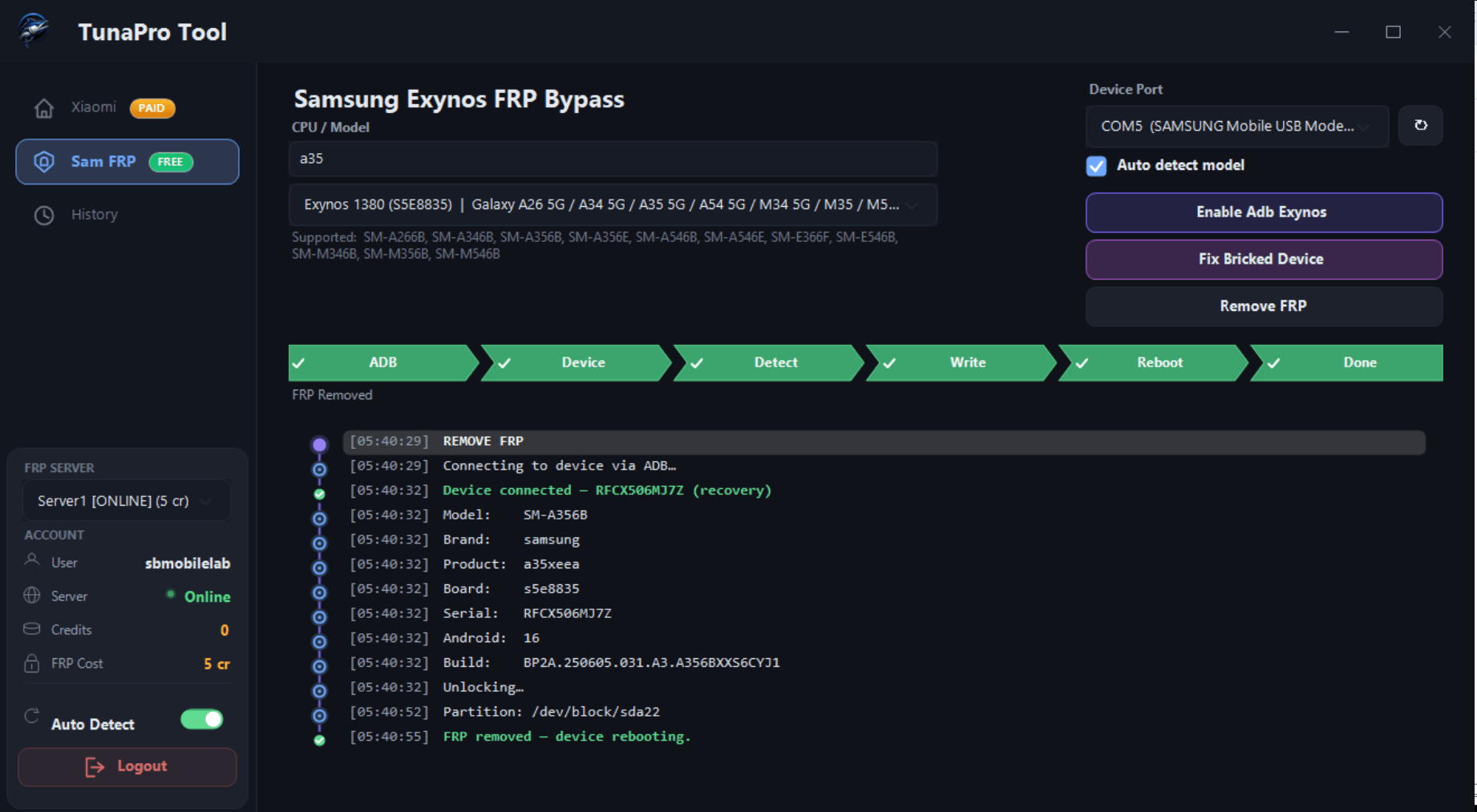
Tuna Pro Tool Latest Version 2026 is a professional Android utility software designed for mobile technicians and Android device maintenance users. The tool provides multiple Android servicing features including FRP reset support, ADB utilities, reboot options, device information reading, and software troubleshooting functions for various Android smartphones.
This Android repair utility supports many popular brands including Samsung, Xiaomi, Vivo, Oppo, Realme, Tecno, Infinix, Huawei, and more. Tuna Pro Tool is known for its lightweight interface, easy usability, and stable performance on Windows computers.
The software is useful for users looking for Android maintenance solutions and mobile software servicing utilities in a safe and user-friendly environment.
Features of Tuna Pro Tool
Tuna Pro Tool offers a collection of Android utility functions that help users manage and maintain their smartphones efficiently.
Main Features:
- Read Device Information
- Reboot System
- Reboot Recovery Mode
- Reboot Fastboot Mode
- Device Detection Support
- Open ADB Shell
- Enable ADB
- Android Utility Functions
- Lightweight User Interface
Samsung Features
The tool includes several useful Samsung Android maintenance options.
Samsung Supported Functions:
- Read Samsung Device Information
- FRP Reset Support via ADB Mode
- Reboot Download Mode
- Exit Download Mode
- Enable ADB Functions
- OTA Update Control
- Software Utility Operations
Xiaomi and Redmi Functions
Tuna Pro Tool supports Xiaomi and Redmi smartphones with Android maintenance and utility features.
Xiaomi Supported Features:
- Fastboot Reboot
- Device Information Reading
- Diagnostic Mode Support
- Android Utility Options
- System Reboot Functions
- Android Maintenance Utilities
MediaTek (MTK) Features
The software supports MediaTek-powered Android devices with multiple maintenance functions.
MTK Functions:
- Factory Reset
- Safe Formatting Options
- FRP Reset Utility
- Meta Mode Support
- Device Reboot Functions
- Read Device Information
Qualcomm Functions
Tuna Pro Tool also provides Qualcomm device support for Android servicing tasks.
Qualcomm Features:
- Enable Diagnostic Mode
- Qualcomm Device Detection
- Read Device Information
- Reboot EDL Mode
- Android Maintenance Support
Exynos Features
Tuna Pro Tool provides dedicated support for Samsung devices powered by Exynos chipsets. The tool includes several Android maintenance and servicing functions specially optimized for Exynos-based smartphones and tablets.
Exynos Supported Functions:
- Read Exynos Device Information
- FRP Reset Support
- Reboot Download Mode
- Reboot Recovery Mode
- Enable ADB Functions
- Device Detection Support
- Software Maintenance Utilities
- Factory Reset Options
- Safe Android Utility Functions
- Samsung Exynos Support
Supported Android Brands
Tuna Pro Tool supports a large number of Android smartphone brands.
Supported Devices:
- Samsung
- Xiaomi
- Redmi
- Vivo
- Huawei
ADB Features
- Install APK Files
- Remove FRP
Supported CPU Platforms
The tool is compatible with multiple Android chipset platforms:
- Qualcomm
- MediaTek (MTK)
- SPD / Spreadtrum
- Exynos
- Kirin
How To Use Tuna Pro Tool:
- First Download the zip file from Below Link.
- Unzip/Extract the zip file with password : sbmobilelab
- Disable the Antivirus if you have one.
- Open the destination folder.
- Run the Setup.
- Install all Required Drivers and Connect the phone.
- Enjoy..!!
KS Tool V4.3 Free Download With Login (Offline Use) 2025
Tuna Pro Tool ( Link1 )
Tuna Pro Tool ( Link2 )